Assembled
Ready to use
Blinkenhub arrives fully built: stand, hub, and lights, all put together and tested. Set your Mac mini on top, plug in one cable, and you're done.
- Finished stand included
- Hub and LEDs installed
- Nothing to print or assemble
For Mac mini
A stand for your Mac mini with a built-in USB hub and a ribbon of programmable LEDs that paints your desk with light.
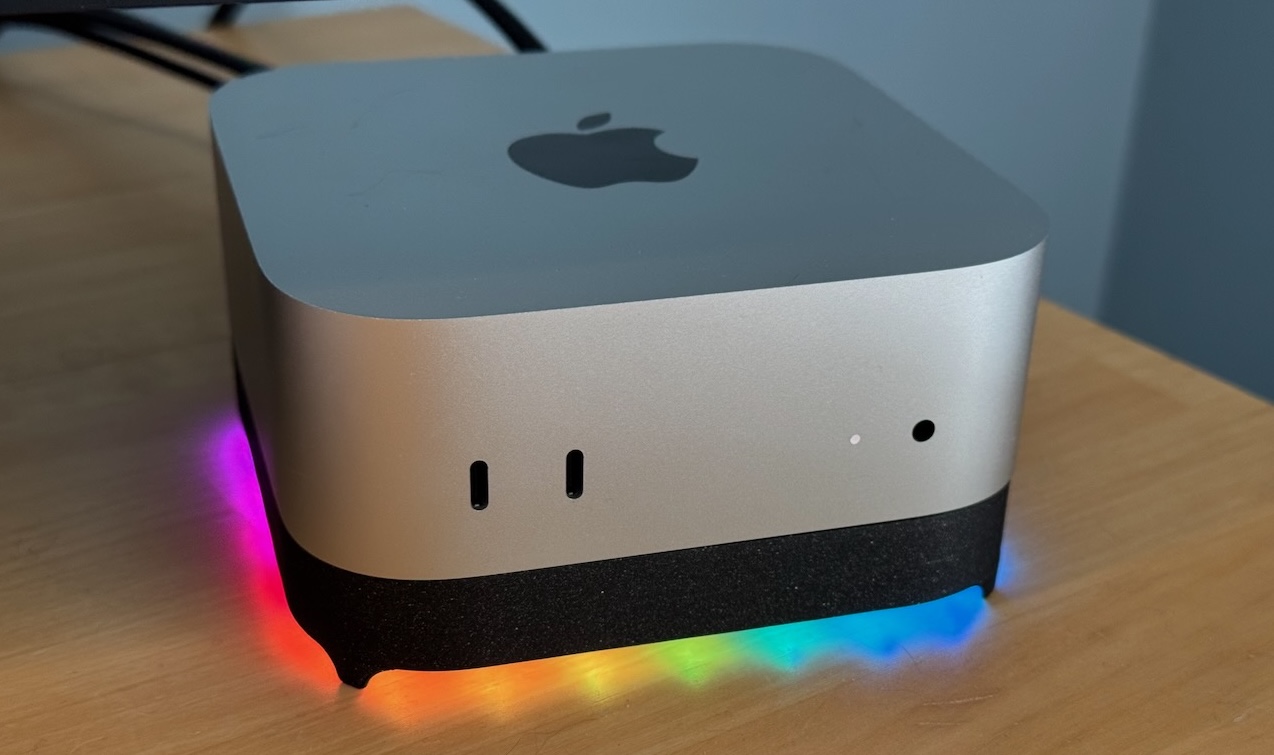
Blinkenhub slips under your Mac mini and gives it three things it didn't have: a little more height, two extra USB ports right where you need them, and a glow you can control from your own software.
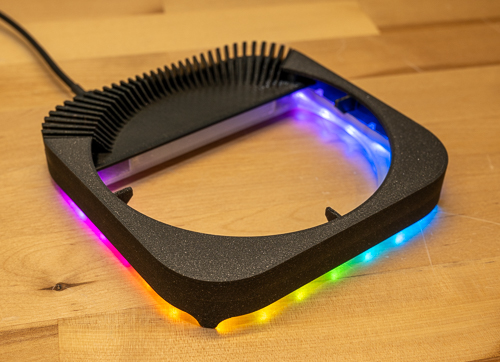
The stand
Blinkenhub follows the rounded-square footprint of Mac mini exactly, so the two look like one piece. The center is open so the Mac's intake underneath gets plenty of air, and a comb of fins at the back keeps the exhaust flowing.
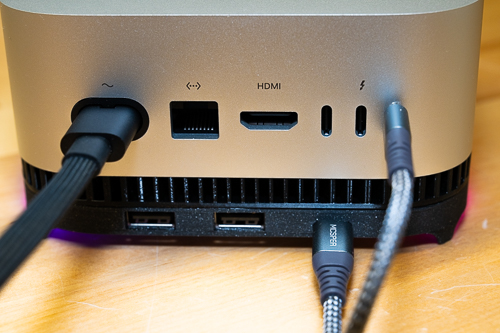
The hub
A built-in High Speed USB 2 hub adds two USB-A ports to the back of the stand, right below the Mac's own. They're good for keyboards, mice, security keys, dongles, and anything else that just needs to be plugged in. One cable to the Mac powers the hub and the lights.
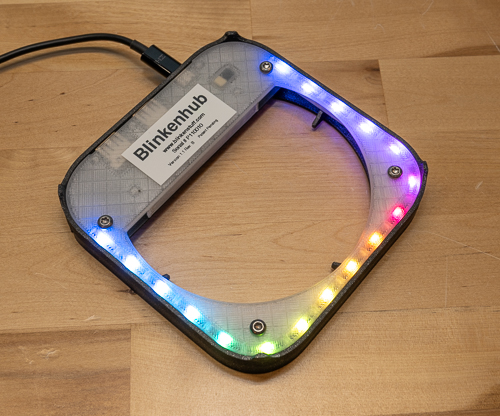
The light
A ribbon of individually addressable RGB LEDs runs along the bottom edge, behind a frosted diffuser. Rather than shining at you, it washes soft, animated color across the surface your Mac sits on: a slow rainbow, a gentle breathe, or a solid color to match your setup.
The API
Blinkenhub has a Python API that lets software on your Mac set the color of each of its 17 LEDs and run animations right on the hub. Turn the desk red when a build fails, pulse when a message arrives, fade to amber at the end of the day, or show the progress of a long job.
# Example: pulse red when the build fails
from blinkenhub import *

hub = Blinkenhub()  # finds the hub over USB

if build_failed:
    red = HSV_Color(0, 1, 1)
    hub.send(SetPixels([red] * 17, 0))
    hub.send(ValueAnimation(Animation.ANIMATE_UPDOWN,
                            rate=1, top=1, bottom=0.1,
                            count=-1))
else:
    green = HSV_Color(140, 1, 0.6)
    hub.send(SetPixels([green] * 17, 0.5))